• Nawajis

How to Change My Facebook Password

If you are security conscious, you definitely should consider changing your Facebook password at least once in 6 months. See: How To Unbloc...

Showing posts with label Facebook. Show all posts

How to change relationship status on Facebook

 Facebook, Status     1 comment   

How to change relationship status on Facebook: Most of the friends I made on Facebook back in 2010 were singles but currently a good number of them have gotten married and yet their relationship status is still showing single.
Does it mean that they intentionally refused to change their status? Some haters will quickly conclude that they just want to flirt! The simple truth is that most of them are just ignorant of the fact that their status is still displaying single while they are Engaged or Married. While others really want to change it but don't know where to find the Facebook settings. See: How to tag People or Pages in Photos on Facebook


How to change relationship status on Facebook


In this post, our aim is to show you how to change your relationship status on Facebook and be who you are in real life.

It makes you responsible when someone who knows your status stumble on your profile and find out that you represent your true self even on social network.

On the other hand, friends who never knew your new relationship status will be wowed when they see. So let's head on to changing your status right away!


Change Your Relationship Status on Facebook


To add or edit your relationship status:
  1. Go to your profile and click About, then Family and Relationships in the left column.
  2. Click Add your relationship status or hover over your relationship and click Edit.
  3. Choose your relationship status from the drop-down menu. Depending on your status, you may also have the option to add the name of the person you're in a relationship with and your anniversary.
  4. Use the audience selector to choose who you want to share this with.
  5. Click Save Changes.

How to add a relationship as a life event on your profile:

  • Go to your Facebook profile and click About, then Life Events.
  • Select the type of relationship or event you'd like to add. You may also have the option to add the name of the person you're in a relationship with and your anniversary.
  • Use the audience selector to choose who you want to share this event with.
  • Check the box next to Update relationship status to update your status in your profile.
  • Click Save.
See: How to Create Your Own Facebook Group

 
Note: You can only list someone in your relationship status if you're friends with that person. That person also needs to confirm that you're in a relationship together before they're listed in your relationship status.
Please share this article with friends so they can also learn how to change their relationship status on Facebook. Sharing is caring!!!
Read More
  • Share This:  
  •  Facebook
  •  Twitter
  •  Google+
  •  Stumble
  •  Digg

How To Delete A Post From Your Facebook Timeline

 Delete, Facebook     No comments   

Learn How To Delete A Post From Your Facebook Timeline: This article explains how to delete a Facebook post from your own wall. Did you mistakenly post something on your Facebook timeline and want to delete it? Don't worry, this article will save you the stress.


How To Delete A Post From Your Facebook Timeline

How to Delete a Facebook Post

This is for a post someone else wrote on someone else’s timeline. It will not remove the post, it will hide it from you.

When you look at a post, you will not see the carrot on the right side. Hover your mouse in that area to see the carrot. Click on it.

You will see several options. Click “I don’t want to see this.” You will no longer see it. Facebook changes exactly what this says from time to time, but the concept is the same. As in my next set of instructions.
Another Way to Remove a Post
I noticed that I have a slightly different set of options when I go to delete a Facebook post by someone else.

On my Facebook account, the options include “Hide” and “Report/Mark as Spam.” I don’t have the survey option and I don’t have “I don’t want to see this.” What’s the deal? I guess Curtis has a different set of options than I do on his page, because one is newer than the other.
Deleting Your Own Facebook Post

The two posts above were written by others. The first account belongs to Curtis Ellis, the second to Jennifer Ellis. If you have written a post of your own that you want to delete, here is how it is currently done.

As you can see, there are completely different options when the post is your own. You can delete your own post, unfollow it, or embed it somewhere else.
Deleting or Removing a Comment

If you have written a comment on a post (yours or someone else’s) you will instead see a pencil when you hover.


Conclusion

It seems that Facebook has decided to change the word delete to hide, or something else that does not make it clear whether you are actually deleting a post from your timeline. Given that you cannot delete someone else’s post anyway, this makes some sense. Cheers!!
Read More
  • Share This:  
  •  Facebook
  •  Twitter
  •  Google+
  •  Stumble
  •  Digg

How to Recover Deleted Facebook Messenger Messages

 Facebook     1 comment   

Learn How to Recover Deleted Facebook Messenger Messages: This is the simplest method of recovering all your deleted Facebook messages on iPhone 7/SE/6s/6s Plus/6 Plus/6/5s/5c/5, etc. Keep in mind that this way is not available in the Facebook Official iOS 8 app, so you must log onto Facebook via PC if you really want to find deleted messages on Facebook.

How to Recover Deleted Facebook Messenger Messages


See: How to Deactivate Facebook Account Temporarily
Step 1: Login your Facebook via PC web-browser like Safari, Google Chrome, etc. and navigate to Settings >> General >> Download a copy.


Step 2: Click on "Download a copy" button and click "Start My Archive" afterwards. Then you'll receive an email to verify your Facebook identity. After that head for mail inbox and click on the given link to start downloading Archive file.

That's all. Please share this article!!!
Read More
  • Share This:  
  •  Facebook
  •  Twitter
  •  Google+
  •  Stumble
  •  Digg

How Do I Logout of Facebook

 Advanced Logout, Facebook, Facebook Logout, Logout, Logout Facebook     3 comments   

It's very easy to logout of Facebook... In this guide we will show you how to logout of Facebook account. Sometimes we login and forget to even logout of our account. See: How to Deactivate or Delete Facebook Account
See: How To Logout of Facebook Account?

How to logout from Facebook

Facebook is so captivating such that you log in and never intend to logout but circumstances demands that we logout for instance:
  • Logout of Facebook so that your friend who just visited can access theirs.
  • Logout because the system you are using is not yours
  • Sometimes you have to logout because you don't want to be distracted with Facebook notifications.
  • You may also want to logout for no reason.


How to Logout of your Facebook account


To logout of your FB account, you will need to look for the v-like "V" at the top right of your Facebook page.
Click on the icon and a drop down menu that looks like the screenshot below appears.
How Do I Logout of Facebook
Click on logout.

That's how to logout from Facebook.

Advanced Facebook Logout.


The Where You're Logged In section of your Security and Login Settings shows you a list of devices and browsers that have been used to log in to your Facebook account recently. Each entry includes the date, time and approximate location when logging in, as well as the type of device used to access your account.
To log out of Facebook on another computer, phone or tablet:
  1. Go to your Security and Login Settings: https://web.facebook.com/settings?tab=security
  2. Click on the Where You're Logged In section
  3. Find the session you want to end and click End Activity
 Recommended: How to Reset Password on Facebook
      Please share this article!
    Read More
    • Share This:  
    •  Facebook
    •  Twitter
    •  Google+
    •  Stumble
    •  Digg

    Who Unfriended Me On Facebook

     Access Facebook, Account, Facebook, Facebook Account, Facebook App, Facebook followers, Followers, Following Me, Profile, Unblock     No comments   

     If you're tired of seeing frustrating articles on your Facebook news-feed, do not hesitate to click that "Unfollow" button. Nevertheless, if you want to digitally reduce ties with a person, like an insane ex lover, an aggravating colleague, or a hazardous colleague, the Unfriend button is there for you to make use of.

    Yet what if someone has done the same to you? Would you even notice if they unfriended you? We understand you're curious to discover. To help you, below are three of the most safe and also most recommended apps that will help you uncover that left your on-line circle.

    Who Unfriended Me On Facebook
    1. That Deleted Me

    A Google Chrome expansion called Who Deleted Me downloads your Facebook's pal listing as well as informs you as soon as somebody unfriends you. This expansion conserves your good friends listing as soon as you access it for the first time, after that it rechecks it whenever you click on the application as well as lets you recognize if there are any kind of changes. In case there's an adjustment, it will inform you with this message: "You have actually made (number) new buddies and shed (number) close friends." Merely click "Allow's go see that" to learn that the perpetrator is. It additionally makes a distinction in between those individuals and also pals that just deactivated their accounts.

    2. Social Fixer

    One more web browser extension you could make use of is Social Fixer. Besides monitoring who unfriends you, Social Fixer filters your news feed by hiding content with politics, spoilers, as well as articles that you have actually already checked out. After setting up the extension, simply click the Social Fixer symbol (the wrench) in your Facebook account, and click the "Good friend Supervisor" box. Now, you'll be alerted once you have actually been unfriended.

    3. Still Friends

    For iOs users, there's an app called Still Friends, which checks your pals checklist and informs you if you've been deleted from someone's listing. The catch is that you need to pay "credit reports" in order to see who that person is.

    Keep in mind, though, that none of these programs are authorized by Facebook. Making use of various other programs provides unfamiliar people accessibility to your personal info, like those crazy Facebook quizzes. If you don't intend to license various other apps, do not click that download button..

    Read More
    • Share This:  
    •  Facebook
    •  Twitter
    •  Google+
    •  Stumble
    •  Digg

    Google Facebook Login Google Search

     Access Facebook, Account, Facebook, Facebook Account, Facebook App, Facebook followers, Facebook Login, Facebook Sign Up, Login     No comments   

    There are numerous online articles around on just how to develop new Facebook account but only few are credible and genuinely leads help you out. Many a times you will certainly intend to login to your Facebook account and also you will be perplex on ways to get to the login web page.

    You will specifically understand just how to reach your Facebook login page via Facebook.com official site for Facebook. The steps are fully packaged for you so you could produce your account easily.

    Google Facebook Login Google Search.
    I will also be showing you the Facebook login website for cellphone. Without waste of time on smart phone, see Facebook mobile site: m.facebook.com or www.facebook.com/mobile any among the links above will obtain you to the mobile Facebook website.


    Classifications On Facebook Login that makes it one-of-a-kind.
    Several new categories have been contributed to the Facebook login making it stunning as well as additionally simple, fun to utilize. The categories comes in a different way unlike the olds. It now provides every user the opportunity to obtain right into their mail box, homepage as well as timeline easily.

    These groups makes users to recognize ways to produce new Facebook account when they opt to open a new one. Its very easy and enjoyable to begin with. They are meticulously below;

    1. New Facebook page style.

    2. Facebook telephone call.

    3. Facebook messenger/ Application.

    4. Events (you can prepare occasions easily).

    5. Facebook Teams to reach the globe.

    6. Earning money choice.

    7. Facebook fund elevating attribute.

    All these, are what you take pleasure in after you have create brand-new facebook account. You will be routed to your Facebook login homepage where you will certainly be asked to pput in your e-mail as well as password.

    The Best Ways To Create New Facebook account (www.facebook.com).
    This is a problem to many Facebook fans. It is a prominent network like i claimed prior to but better percent do unknown exactly how to obtain to the primary Facebook login page. However you ought to never ever fret again because you will learn the trick in this extremely section.

    Facebook login will be readily available to you as soon as you have you have actually developed a successful account whhiich i will certainly be teaching you in this specific paragraph. Now allows start.

    To obtain begun in knowing ways to produce new Facebook account, do this very first.

    1. Obtain a legitimate Email or mobile number.

    2. Create a solid password( consist of numbers, letters and also indicators).

    After that to register to Facebook.

    * visit to www.facebook.com.

    * Follow the guideline by giving your.

    * First name and last name.

    * Mobile or Email address (make certain you include your country code e.g U.S number code is +1, Canada +44 and Nigeria is +234).

    * Birthday celebration.

    * Sex.

    * Hit the produce account button and also you are done.

    Congratulations to you due to the fact that you just completed signing up to Facebook brand-new account. Its very easy but all will depend on exactly how well you have actually followed the provided actions over. I hope you understood the trick on just how to develop brand-new Facebook account.

    Nevertheless, if you utilize an internet browser to login in your Facebook account, you can use either approaches. The initial means by placing the word "Facebook" in the search area on the Google. It will certainly stand apart up some search engine outcome, please have a look at the major site of Facebook. See the instance image below:


    Facebook login Page.
    This is one of the most easy and simplest part to do. Simply make certain you sign up to new Facebook account first because that is when this specific page will be readily available to you. If you do not have Facebook account, you can start by complying with the web link offered over so you could start the Facebook login right away.

    For Facebook login to be simple for you, you should very carefully obey the actions below.

    * To start with, sign up to Facebook.

    * After that a login web page will certainly show up to you.

    * Keen in your e-mail or telephone number including the nation code (please this is essential).

    * After that hit the Facebook login switch and also your brand-new homepage will certainly be revealed.

    Facebook login cellphone.
    Having known ways to get involved in your Facebook login page effectively, you will certainly locate it very easy and much less challenging utilizing your cellphone to login. The style are comparable simply that the homepage is not precisely the exact same.

    The treatment for the Facebook login cellphone is written below and also you should review them quite possibly so you could enter your homepage using mobile.

    * First off, create a new account or join to Facebook.

    * Then see www.facebook.com/mobile.

    * Kind your email or mobile number.

    * password.

    * click the login switch and you are established.

    Download And Install Facebook Application.
    To obtain your Facebook application for your IOSs, apple iphone or all your mobile phone, then see the Google play shop for your Androids and see the iTune store for your iPhone.


    Read More
    • Share This:  
    •  Facebook
    •  Twitter
    •  Google+
    •  Stumble
    •  Digg

    How to Download Photos From Facebook

     Access Facebook, Account, Download, Facebook, Facebook Account, Facebook App, Messenger, Mobile, People, Photo, Profile     No comments   

    Facebook is just one of the most significant picture directory in the globe with even more compared to 1 billion images online! Unlike Instagram which is likewise possessed by Facebook yet makes it tough to download pictures, in Facebook it is very easy to download or save any type of picture that you see. Nonetheless at some point you may not have the ability to see where to click in order to conserve or download and install those photos, and also that is why you are reading this blog post. I am going to reveal you the simplest method to save photos from Facebook by making use of both Facebook Application, or Facebook on a web browser.


    How To Download Photos From Facebook.
    You can use Facebook application to download and install images and also this is silent easy, simply adhere to these steps:

    Open your Facebook app, scroll or look the photo that you intend to download and install.


    Faucet on that particular photo and it will be opened up in a box.


    Then the last step is to tap and hold on that photo for couple of seconds up until you see the food selection with option to conserve or share your picture.


    Your picture will be conserved, you will certainly simply require to navigate to where you store your downloaded and install images.

    HOW TO DOWNLOAD FACEBOOK PHOTO ON A WEB INTERNET BROWSER.
    If you are making use of Facebook on an internet internet browser, downloading your Facebook image is even much simple, all you should do is to click on the picture you wish to download, and also you will certainly see that picture opened in a box, float over the base of that image you will see Alternatives link, click that link as well as on the food selection, click Download and install.


    Read More
    • Share This:  
    •  Facebook
    •  Twitter
    •  Google+
    •  Stumble
    •  Digg

    Facebook.com Find Friends

     Access Facebook, Account, Download, Facebook, Facebook Account, Facebook App, Facebook followers, Messenger, New Facebook, People, Profile     No comments   

    Locating buddies in a new city can be challenging. Yet with a little aid from on the internet social networking, you could begin to create a brand-new posse. Making buddies with complete strangers on Facebook can be challenging, as some Facebook customers are resistant to sharing their information with individuals they aren't sure.


    Facebook.Com Find Friends
    Just how To Locate Your Pals On Facebook

    You could discover your friends on Facebook by keying in their name or email in the search area at the top of the page, nevertheless, there is a much faster way to find them.

    1. Click on the Good friend Requests icon located in the top right-hand man edge of the web page.

    2. Click See All below the listing.

    3. You will certainly now see a list of people that Facebook believes you may know.

    On the right-hand side you can also find your close friends utilizing your e-mail address or by looking for friends making use of certain details.

    How You Can Find Facebook Buddies On Your Mobile Phone
    A really cool attribute of Facebook is the capacity to find close friends from your cellphone get in touches with. Please note that a customer could turn this off in their personal privacy settings to quit you from discovering them this method but it is an attribute that is switched on by default and many people do unknown concerning it. You can also discover a buddy utilizing a computer by entering their smart phone number in the search bar.

    Below I'm going to reveal you the best ways to check all of your smart phone get in touches with so you could see that has an account on Facebook

    1 Download and install and install the official Facebook App.

    2. Login and click on the Even more button located in the bottom-right corner and also click on Buddies.

    3. You will after that see a list of your phone contacts who you are not currently close friends with on Facebook.

    The Best Ways To Locate People Near You on Facebook

    Step 1.
    Type the name of your city right into the search bar on top of the Facebook homepage. A drop-down menu will appear. If you live in a big city, you will likely see your city's name beside a symbol. Neglect this icon. This is a web link to the Facebook page for the city, not a listing of individuals that live there. Rather, click the web link below the food selection that checks out "See even more outcomes for [city name]".

    Action 2.
    Click the "Individuals" link in the left sidebar. This will display a list of individuals who have the name of your city detailed in your account.

    Step 3.
    Type the name of your city into the text field next to the "Place" button at the top of the checklist. Click "Filter." This will limit the listing just to those who have your city detailed as their existing location, instead than simply having actually the name noted someplace in their profile.

    As an example, if you did a first search for Portland, the resulting names would certainly include entrances such as "Simply returned from Portland" or "I matured in Portland however I live in New york city." Filtering by place guarantees that the search results are linked with individuals still in your location.

    Read More
    • Share This:  
    •  Facebook
    •  Twitter
    •  Google+
    •  Stumble
    •  Digg

    Unblock Facebook Friends

     Access Facebook, Account, Block, Download, Facebook, Facebook Account, Facebook App, Facebook followers, Profile, Unblock     No comments   

    Unblock Facebook Friends - Obstructing a person on Facebook cuts off all call and also interaction in between you which individual. The good idea, it is not permanent. Facebook allows customers to reverse the decision on 'blocking' if they desire to.


    If you intend to let that individual you had blocked back into your Facebook life, you can unclog that person conveniently. Uncloging someone is the very first step of being good friends once again on Facebook.

    Unblock Facebook Friends
    Visit to your Facebook account and also sign in to your account. Go to the obstructing page where you will see a list of the people you had actually blocked. Click 'Unblock' alongside the name of the individual you want to unclog.


    1. Go to your Facebook's Setups
    2. Click Barring
    3. Now you will certainly have the complete listing of obstructed customers. Click Unblock choice to eliminate an individual from the block checklist (check screenshot above).
    4. You will certainly be asked to verify, and also the consequences of uncloging will certainly be be revealed. Read it carefully.
    5. Click Confirm to unblock (You can not re-block any individual before 2 Days).


    When you unclog someone on Facebook, you do not immediately come to be friends. Uncloging a person essentially gives that person accessibility to your account and the ability to send you a personal message.

    One of you has to send out the other a buddy demand and that close friend request accepted for you to be friends again on Facebook.

    Read More
    • Share This:  
    •  Facebook
    •  Twitter
    •  Google+
    •  Stumble
    •  Digg

    Facebook Hoax of who is following me | Who followed me hoax getting really serious!!

     Facebook     No comments   

    Facebook Hoax of who is following me | Who followed me hoax's getting really serious!! Sometimes, once you post something on Facebook, it starts to go crazy. The latest post being spread around is about how you have followers you didn’t even know about


    The post on Facebook explains how you can block the people you think are following you. People are posting all about how many followers they have found.


    Snopes says this all started in January of 2017, and at that time, the hoax stated that these people were being paid to watch your page, which wasn’t true either. Now, the post is talking about how Facebook users are finding a bunch of people who are following them that they don’t even know. The post explains how to go to Facebook and find these people. It then explains how to block all of them individually on your page so they can’t follow you anymore.


    But here is what is really going on. When you do what you are told to find these fake Facebook followers, you are actually just finding people with the string “Me” somewhere in their screen names or profiles, not a list of accounts of people who are secretly following you. Of course, you are going to find a ton of people who have that in their name. You are now blocking random people who aren’t even following you.


    A lot of people were really freaked out by this and thought that they were being followed by accounts they didn’t know. As it turns out, this isn’t the case at all and there is nothing to worry about when you see these posts on Facebook.


    Anyone who uses Facebook knows there are a lot of hoaxes that go around on the site. AL shared that another recent hoax stated that all Dollar Tree stores are going to be closing, and this isn’t true at all. It was shared over 100,000 times, but it wasn’t true. You always have to check stuff out on Facebook before sharing it with your friends.


    Did you fall for the Facebook hoax stating that you had several followers you didn’t know about? Sound off in the comments below.


    'Following me' is Facebook hoax du jour >> https://buff.ly/2hkQSrX


    Facebook Hoax of who is following me | Who followed me hoax's getting really serious!!
    Read More
    • Share This:  
    •  Facebook
    •  Twitter
    •  Google+
    •  Stumble
    •  Digg

    Facebook Login On Mobile Phone

     Access Facebook, Account, Android, App, Download, Facebook, Facebook Account, Facebook App, Messenger, Mobile, Profile     No comments   

    I presume that you currently have the Facebook application installed on your smartphone or tablet. If you have not, after that mount it as soon as possible and adhere to the note below actions making use of the Facebook login in Facebook Application qualifications to access your account on mobile.

    Facebook Login On Mobile Phone

    Among the most important innovation on facebook is the creation of a Facebook app. The app brings about simplicity in the logging in process using smartphones, it is very exciting.

    Login To My Facebook AccountThis action listed below allows you login to your Facebook account so you could start upgrading your standing, include good friends, chat, reply to remarks as well as even more.

    1. Most likely to Facebook internet site on www.facebook.com

    2. Kind in your login details– which is your smart phone number or emails address which you have actually made use of in opening up the account.

    3. Likewise enter your login password.

    4. Click on “Log in” to access your Facebook account.

    This easy overview will immediately take you to your account page just in few secs.
    Login Facebook Account – Facebook Login Mobile AppFor you to login to Facebook Mobile, you can use two alternative ways

    Via Facebook internet login.

    Through Facebook mobile app login.

    Use of Facebook mobile app is mostly common these days as a lot of users appreciate the simplicity of using the mobile application as opposed to accessing Facebook via web on any other gadget.


    Read More
    • Share This:  
    •  Facebook
    •  Twitter
    •  Google+
    •  Stumble
    •  Digg

    How To Deactivate Facebook Account

     Access Facebook, Account, Deactivate, Deactivate Facebook Account, Facebook, Facebook Account     No comments   

    People most typically come to the point where they simply intend to break devoid of all of exactly what's taking place in social media; the contentment that they receive from just considering resting their eyes, hearts, and minds from all that is going on in Facebook. As a result of this, Facebook devised a way of having an alternative to deactivate your make up you to relax. Is deactivation brand-new to you? Well if of course, after that this post will educate you on just what deactivation is and also what it could do for you.
    How To Deactivate Facebook Account
    How To Deactivate Facebook Account
    You can deactivate your Facebook account temporarily and choose to come back whenever you want.
    To deactivate your account:

    • Click the account menu  at the top right of any Facebook page
    • Select Settings
    • Click General in the left column or visit: web.facebook.com/settings?tab=account
    • Choose Manage your account then follow the steps to confirm

    If you deactivate your account your profile won’t be visible to other people on Facebook and people won’t be able to search for you. Some information, such as messages you sent to friends, may still be visible to others.

    Read More
    • Share This:  
    •  Facebook
    •  Twitter
    •  Google+
    •  Stumble
    •  Digg

    Restricted Friends On Facebook

     Access Facebook, Account, Block, Facebook, Facebook Account, Facebook App, People, Post, Profile     No comments   

    Are you tired of friends that keep you hectic for hours on Facebook chat for reasons much from crucial? You have to publish some photos on your Facebook timeline however do not want a few of your calls to see? I do not see where the problem is.
    Facebook offers all the essential devices to talk as well as post freely eliminating more friends petulant or nosy. All you need to do reads these directions on how you can restrict friends on Facebook that I'm about to give you and also place them right into practice. It'll be a totally different songs!

    Restricted Friends On Facebook

    Let us start this guide on how you can restrict Facebook friends seeing how stem the circulation of petulant friends chatting. Admit it, the number of times you intended to chat with someone on Facebook, but then you quit for not needing to experience the "strikes" of the most petulant friends, those that call you when they see the environment-friendly dot appear beside your name.

    Ways to Add a Facebook Good Friend to The "restricted" Checklist
    Action 1
    • On your Facebook app, tap on the menu button (☰)
    • Tap on "Account Settings' (for iPhone users tap on "Settings")
    • Tap on "Blocking"
    Action 2
    • Tap on the menu button (☰)
    • Tap on "Privacy shortcuts"
    • Scroll down and tap on "How do I stop someone from bothering me?"
    • On the drop down menu, tap on "Blocked users"ON YOUR BROWSER:
    • Click  in the top right of any Facebook page
    • Click "Privacy Shortcuts"
    • Click "How do I stop someone from bothering me?"
    • Click "View All Blocked Users".
    Viola!
    Read More
    • Share This:  
    •  Facebook
    •  Twitter
    •  Google+
    •  Stumble
    •  Digg

    How to Find Out who Views Your Facebook Profile

     Access Facebook, Account, Download, Facebook, Facebook Account, Facebook followers, People, Profile     No comments   

    Facebook is one of the most prominent social media sites that has million users around the world. Some individuals that utilize Facebook are always interested as well as would like to know that saw their Facebook Account daily commonly however just how they could know. Today, we will certainly show you very easy method to track your Facebook in order to recognize who watch your Facebook Account commonly.


    How To Find Out Who Views Your Facebook Profile.
    1. First you need to include Facebook Flat Expansion to your Chrome Internet Browser by Click Web link here.

    2. Click Contribute To Chrome Switch to add the Extension to your Chrome Browser.


    3. After that confirm your activity by Click Include Extension Switch on the appear screen.


    4. After add this Extension, Log on to your Facebook Account or refill your Chrome Internet browser if you already Visited. You will certainly see something various in your Facebook Account Interface.

    5. Then Click on Profile Visitors to see That view your Facebook Account Typically (Sight Photos, Conversation & Remark).


    6. If you desire to return to you Normal Facebook Account Interface, Click Enable/Disable Facebook Flat on the Upper Left Conner of the screen to Disable the Facebook Apartment.


    Now you can see who view your Facebook Profile commonly with the Expansion on Chrome Internet Browser as well as this Facebook Flat Extension is not just permit you to understand your Facebook buddies that see your Profile yet additionally people that is not your pals on Facebook too. You can Allow and Disable the Expansion any time you desire.


    Read More
    • Share This:  
    •  Facebook
    •  Twitter
    •  Google+
    •  Stumble
    •  Digg

    How to Hide Followers on Facebook

     Access Facebook, Account, Facebook, Facebook Account, Facebook App, Facebook followers, Followers, Following Me, Page, People, Profile     No comments   

    I would certainly show and you would love to discover ways to do that too. If you are, after that you remain in good luck! I'll show to you simply exactly how you could make that occur.

    How to Hide Followers on Facebook

    See: Facebook Logout My Account 2017


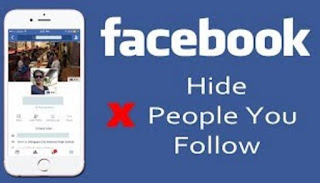
    How to Hide Who You Follow on Facebook

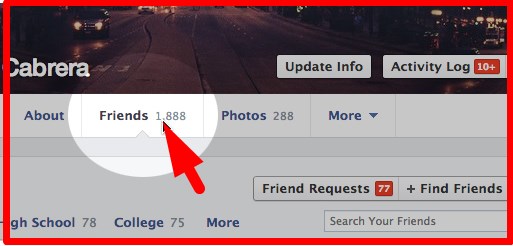
    STEP 1. After you're visited, click the "Friends" tab.

    Facebook Friends

    STEP 2. Click on the little "pencil switch" situated at the top right of your friend's timeline next to the "Find Friends" switch. Select "Edit Personal privacy" from the list of options.

    Facebook Privacy

    STEP 3. On the "Complying with" area, choose "Just Me" from the drop-down selection.
     And you're done!

    These actions will certainly make sure that no person within your link would certainly recognize that you only adhered to. Since you have discovered this strategy, you will not ever before need to fret about accepting a person as well as allowing your buddies learn about it.

    See: Create New Facebook Account 2017


    Read More
    • Share This:  
    •  Facebook
    •  Twitter
    •  Google+
    •  Stumble
    •  Digg

    Desktop Version Of Facebook Login

     Access Facebook, Facebook, Facebook Account, Facebook App, Facebook followers, Facebook Login, Login, Pages, Photo, Profile     No comments   

    Today, we will reveal you Desktop Version Of Facebook Login. If you could use the Facebook app really did not updates your app the first you have to update your application due to the fact that you can't access a lot of the features on Facebook Applications. When you see Facebook in a web browser, it will certainly show you the mobile variation of the site.


    Currently days the Facebook is a most preferred social networking app for android, iOS uses, so if you wish to some complicated features to gain access to Facebook desktop computer variation, then adhere to the tutorial and get to Accessibility Facebook full Desktop computer Website on Android as well as iPhone.

    Desktop Version Of Facebook LoginHow to Gain Access To Facebook Complete Desktop Variation on Android and apple Iphone

    Allow's see the two different methods to earn a full desktop version your Facebook on Android as well as apple Iphone.

    Ways To Accessibility Facebook Complete Desktop Computer Variation on Android

    Right here, simply to adhere to the two different techniques as well as Accessibility Facebook Full Desktop Variation on Android.

    Approach 1: Direct Web Link Trick.
    - First, you should Login your Facebook Account from web Internet browser on Android tools.

    Additionally click here.

    - Currently simply type "http://www.facebook.com/home.php" in your web browser.

    - Now you can see the full desktop variation of Facebook ought to present in the web browser.

    Approach 2: Establish your Web Browser Setup.On your Android browsers like Google Chrome have a choice to view the desktop computer version of the page integrated in. In Chrome, Simply you have to choose the "Menu" button located at the upper-right corner, then select "Request Desktop Site".


    Currently Go back and also refresh you facebook Page as well as you got the Facebook Complete Desktop Version on Android.

    You'll then have the ability to see the complete, non-mobile Facebook website and to you could access the all internet features on your android internet browser.

    How You Can Gain Access To Facebook Complete Desktop Variation on apple Iphone

    This technique is applicable for iPhone, iPad. So allow's reveal you exactly how can you Gain access to Facebook Full Desktop computer Variation on apple Iphone, follow this simple methods to obtain a correct solution.

    Method 1: Direct Link Technique.- First, You should Login your Facebook account from the safari browser. Just type On Safari web browser (www.facebook.com).

    - As soon as you have successfully visited to Facebook from any kind of internet internet browser from iPhone, now change the web address to facebook.com/home.php.

    - Currently you can see the Facebook account Full Desktop Variation open up on your iPhone. It matters not which browser or iOS version you are using, yet it works!

    Technique 2: Set your Internet Browser Setting.In your safari internet browser get the alternative to enable, and also you could easy to see Facebook account Full Desktop Version, allowed's see how you can allow "Desktop Site" from Safari Browser on iPhone, iPad.

    - Simply Open up the Safari browser as well as go to com, as likely you will certainly be redirected to mobile.

    - After login to your Facebook account, tab the share button and also.

    - Now choose 'Request Desktop Site' as shown below.


    That will offer the Facebook desktop site on your apple Iphone or iPad tool.

    I wish to these 2 simple' approach will certainly serve. Even though it is not needed to browse the full desktop computer site of Facebook on your small screen sized android, iPhone or tablet computer, in case you need, this overview would be useful.

    Constantly, their mobile version on the web browser and Facebook application will certainly enable you to do whatever you do usually in desktop computer site.

    Read More
    • Share This:  
    •  Facebook
    •  Twitter
    •  Google+
    •  Stumble
    •  Digg

    How to Unblock Friends on Facebook

     Access Facebook, Account, App, Block, Download, Facebook, Facebook Account, Facebook App, Facebook followers, People, Profile, Unblock     No comments   


    At this point, Facebook's been open to the public for more than a years, as well as available to select colleges for nearly fifteen years. The on-line identities of the people we know and also recognized in real life can be completely different, as well as this isn't also representing exactly how individuals transform, grow, as well as mature from their adolescent years right into adulthood and past.

    Blocking somebody on Facebook may appear long-term in the moment, due to the fact that it successfully is-- up until you make the decision to enter and unblock these people on the website. But while obstructing someone on Facebook is clear and also easy, UNBLOCKING them is a fairly-hidden menu that might be difficult to find if you aren't knowledgeable about Facebook's social devices.

    UNBLOCKING ON FACEBOOK'S DESKTOP WEBSITE

    Unsurprisingly, Facebook's been forced over the past years to present a fairly rigorous security collection to their system, in order to ensure the safety of users on their platform. While Facebook has done whatever in their power to attempt and also help customers get accustomed to the platform, a large percent of Facebook customers could still unknown regarding the presence of Facebook's very own safety and security platform. If you're one of the customers of Facebook that hasn't explored their personal privacy collection, you aren't alone-- and actually, hereafter how-to guide, you'll know a whole lot more about just how that security functions.
    One of the most important aspects of Facebook's whole personal privacy suite is the capacity to check out and manage your obstructed individuals. This is where everyone you have actually blocked, over all the years of using as well as searching Facebook, will certainly end up. Random users whose comments were spam or trolling, old opponents from senior high school or university, all your ex-girlfriends or ex-boyfriends-- they'll all be right here, sitting in limbo, assuming you've erased your Facebook account permanently.

    Certainly, considering that you're reading this write-up, you have actually come below to discover ways to use this block feature to unblock somebody. Allow's take a fast check out to the Facebook personal privacy center. Begin by going to Facebook's home page and touching on the little bottom-side-up triangular in the right-hand corner. This will load a drop-down menu displaying a lot of alternatives, yet we'll want to watch your account settings. Faucet "Settings" to proceed.


    Inside your setups menu, you'll discover a lot of various alternatives on the left column of the display screen. Right here's where you'll find all the privacy options for your account, however you'll want to click "Blocking" to take care of the accounts you have actually obstructed previously. This will certainly fill a page filled with a number of descriptions of limited listings, along with a complete listing of your obstructed users. You could utilize this list to unblock any kind of customer by touching "unblock" beside their name. This will motivate a warning describing just what takes place if you unblock an account, which includes:


    -The unblocked individual being able to see your timeline (if it's public) or call you.

    -Previous tags might be restored (these tags can be gotten rid of from your task log).

    -You will not be able to reblock the customer for Two Days from the time of the preliminary unblocking.


    All of this functions as a caution: wage caution when UNBLOCKING a customer. You might not be happy with the outcomes if that individual is specifically spiteful or unsafe, and also you won't be able to reblock them for Two Days.
    Read More
    • Share This:  
    •  Facebook
    •  Twitter
    •  Google+
    •  Stumble
    •  Digg

    How to Make Facebook Account for Business

     Access Facebook, Account, Business Page, Facebook, Facebook Account, Facebook App, Facebook followers, Facebook for Business, Mobile, Profile, Settings     No comments   

    If you are most likely to have a company account, you have to begin with an individual account. Facebook company web pages are comparable to individual timelines. A large distinction are the analysis devices Facebook includes for service web pages that offer extensive understanding to assist you see just how well you are getting in touch with your area.

    How to Make Facebook Account for Business

    Allow's stroll with each other with establishing a page for your service. Please keep in mind that the Facebook landscape modifications on a normal basis, so remember you could always check out Facebook's Help Center for upgraded instructions.

    How To Make Facebook Account For Business.

    Step # 1 Register the Page

    To sign up the web page see http://www.facebook.com/pages/create.php and choose a category and also a name for your team. It isn't really simple to alter the name of the page, so select meticulously. You will additionally wish to see to it that you have actually selected the appropriate group.


    Step # 2 Tailor the Web page

    Once you have your page up you should add a cover picture, summary, and personality. Ensure the images are the proper measurement and also of expert quality.

    The summary or "about web page" is essential. Make certain it is brief as well as you consist of a link back to your writer site. Facebook must not be your main method. It needs to point individuals back to your primary site.

    Your page requires personality. Don't let it come to be just one more bland page on the net. On the Author Media Facebook web page, we are constantly asking inquiries, suggesting articles, or putting up motivating quotes.

    Step # 3 Suggest the Web Page to Pals

    Once you obtain your page all set to go click the "recommend to close friends" link beneath your web page's photo.


    Read More
    • Share This:  
    •  Facebook
    •  Twitter
    •  Google+
    •  Stumble
    •  Digg

    How to Block A User In Facebook

     Access Facebook, Account, Block, Download, Facebook, Facebook Account, Facebook App, Facebook followers     No comments   

    Relationships can curdle, that's just how life goes. While it may not be very simple to entirely literally cut off someone from your life, Facebook friendships finish much quicker. Facebook gives you the capacity to get in touch with your pals, household or even people half means worldwide. Facebook relationships, like "real-life" relationships could likewise turn sour. Yet unlike "real-life" relationships you could decide to prevent your Facebook buddy from having the ability to get in touch with you like they used to.


    ON YOUR FACEBOOK APPLICATION:

    To view your blocked list on your mobile application, there are two ways:
    Action 1
    • On your Facebook app, tap on the menu button (☰)
    • Tap on "Account Settings' (for iPhone users tap on "Settings")
    • Tap on "Blocking"
    Action 2
    • Tap on the menu button (☰)
    • Tap on "Privacy shortcuts"
    • Scroll down and tap on "How do I stop someone from bothering me?"
    • On the drop down menu, tap on "Blocked users"ON YOUR BROWSER:
    • Click  in the top right of any Facebook page
    • Click "Privacy Shortcuts"
    • Click "How do I stop someone from bothering me?"
    • Click "View All Blocked Users".
    Viola!
    Read More
    • Share This:  
    •  Facebook
    •  Twitter
    •  Google+
    •  Stumble
    •  Digg
    Older Posts Home

    Blog Archive

    • ▼  2018 (958)
      • ▼  June (143)
        • ▼  Jun 05 (30)
          • How to Change My Facebook Password
          • How Can I Logout of My Facebook Account - Facebook...
          • How to change relationship status on Facebook
          • How To Delete A Post From Your Facebook Timeline
          • How can you change your name on Facebook?
          • How to find out if you have been blocked on Facebook
          • Check out your blocked list in 1 second
          • How To Delete A Post From Your Facebook Timeline
          • How to Temporarily Deactivate Facebook Account - D...
          • How to Recover Deleted Facebook Messenger Messages
          • How To Unblock Friends And People On Facebook
          • How To View Your Blocked List On Facebook
          • How to block someone on Facebook messenger
          • Change your Facebook password and secure your acco...
          • How you can unblock your blocked Facebook friend
          • View My Blocked List On Facebook | Facebook Blocke...
          • How Do I Reset My Facebook Password | Reset Or Cha...
          • How to download Facebook lite
          • How to See Or View My Blocked Facebook List | How ...
          • How I viewed my blocked list on Facebook | Unblock...
          • How I viewed my block lists and Unblocked Friends
          • How to deactivate Facebook Temporarily - 2018 Guide
          • How to change name on Facebook - Change My Last na...
          • How to View blocked list on Facebook - Unblock Peo...
          • Facebook Login - Create New Facebook Account
          • Change or Reset Facebook Password
          • Find out who viewed your Facebook profile
          • How To See and View Your Blocked List On Facebook
          • How Do I Open Or Create New Facebook Account
          • How to tag People or Pages in Photos on Facebook
        • ►  Jun 04 (32)
        • ►  Jun 03 (31)
        • ►  Jun 02 (25)
        • ►  Jun 01 (25)
      • ►  May (790)
        • ►  May 31 (25)
        • ►  May 30 (25)
        • ►  May 29 (25)
        • ►  May 28 (28)
        • ►  May 27 (25)
        • ►  May 26 (25)
        • ►  May 25 (25)
        • ►  May 24 (25)
        • ►  May 23 (25)
        • ►  May 22 (26)
        • ►  May 21 (26)
        • ►  May 20 (26)
        • ►  May 19 (25)
        • ►  May 18 (69)
        • ►  May 17 (25)
        • ►  May 16 (39)
        • ►  May 14 (76)
        • ►  May 13 (50)
        • ►  May 12 (25)
        • ►  May 09 (25)
        • ►  May 08 (25)
        • ►  May 07 (75)
        • ►  May 06 (25)
        • ►  May 05 (25)
      • ►  April (25)
        • ►  Apr 11 (25)

    Search

    Copyright © Nawajis